
To forward calls to an AI receptionist, you dial a short code from your business phone with the receptionist's number on the end. On Verizon wireless that's *72 plus the 10-digit number. On T-Mobile it's **21*1 plus the number and #. To send only the calls you miss, use the "no answer" code instead. Your number doesn't change, your callers don't notice, and you can switch it off with one more code. Every code below comes from the carrier's own support pages, checked on 20 November 2026.
What does "call forwarded" mean?
Call forwarding is a phone service that sends incoming calls from the number someone dialed to a different number. When a call shows as "forwarded", it rang on one line and was passed to another. Your customers still dial your usual number. The carrier quietly sends the call on to wherever you've set it to go, for example your AI receptionist's line.
The three kinds of forwarding
- All calls (unconditional). Every call goes straight to the other number, and your phone doesn't ring. Use it when the AI receptionist should answer everything, or when you're closed.
- No answer. Your phone rings first. If nobody picks up after a few rings, the call forwards. This is the most popular setup: you answer when you can, and the AI catches the rest.
- Busy or unreachable. The call forwards when you're on another call, or your phone is off or has no signal.
Call forwarding codes by carrier
Verizon wireless
From Verizon's own call forwarding FAQ:
| What | Code |
|---|---|
| Forward all calls | *72 + 10-digit number |
| Forward when busy or unanswered | *71 + 10-digit number |
| Turn forwarding off | *73 |
- Calls forward on
*71when you're busy or after 3 to 6 rings. Verizon's pages don't list a separate busy-only code or a way to change the ring count. - You'll hear a series of beeps and the call ends by itself. That means it worked.
- Set it from the phone itself, in Verizon coverage. The number must be a 10-digit, active US line. Texts aren't forwarded.
- No monthly fee on most plans. Without unlimited minutes, forwarded calls are billed as if you answered them.
T-Mobile
From T-Mobile's self-service short codes page:
| What | Turn on | Turn off |
|---|---|---|
| All calls | **21*1 + number + # | ##21# |
| No answer | **61*1 + number + # | ##61# |
| Unreachable (off or no signal) | **62*1 + number + # | ##62# |
| Busy | **67*1 + number + # | ##67# |
| Reset all forwarding | ##004# |
- Set the ring time. Add the delay in seconds before the final
#, for example**61*1+ number +**15#. T-Mobile lets you pick 5, 10, 15, up to 30 seconds. - Forwarding is included in T-Mobile calling plans. You can only forward to 10 or 11-digit numbers, and not to international numbers (calling services).
AT&T wireless
AT&T's wireless call forwarding page points you to your phone's settings rather than listing codes. AT&T runs a GSM network, so the standard settings and codes work:
- iPhone: Settings > Apps > Phone > Call Forwarding, turn it on and enter the number. This forwards all calls (Apple Support).
- Samsung Galaxy: Phone > More options > Settings > Supplementary services > Call forwarding, then Always, When busy, When unanswered or When unreachable (Samsung Support).
- Codes. Google's Voice help page lists these for AT&T wireless:
*61*+ number +#for unanswered calls,*62*+ number +#for unreachable and*67*+ number +#for busy. Turn them off with##61#,##62#or##67#. AT&T's own troubleshooting page turns forwarding off with#21#.
AT&T notes that forwarding overrides your wireless voicemail, forwarded calls are billed for their length on some plans, and you can't forward to international numbers.
AT&T, Verizon Fios and business landlines
Landlines and digital home or business phones use star codes. From AT&T's AT&T Phone page, its small business page, Verizon's home phone star codes and Verizon Business Digital Voice:
| What | AT&T Phone and Business | Verizon Fios Digital Voice | Verizon Business Digital Voice |
|---|---|---|---|
| All calls | *72 + number + #, off *73# | *72, off *73 | *72 + number + #, off *73 |
| Busy | *90 + number + #, off *91# | *90, off *91 | *90 + number + #, off *91 |
| No answer | *92 + number + #, off *93# | *92, off *93 | *92 + number + #, off *93 |
| Not reachable | *372 (Safe Call Forwarding, for outages), off *373# | Not listed | *94 + number + #, off *95 |
On a traditional AT&T home phone line, all-calls forwarding is *72 and off is *73, but busy and no-answer forwarding need a call to AT&T (AT&T home phone). AT&T calls the forwarding number when you set it up, and forwarding only turns on if someone answers.
The standard GSM codes
The codes T-Mobile uses come from the GSM standard (3GPP TS 22.030), so they often work on other GSM carriers too: 21 is all calls, 61 no answer, 62 unreachable and 67 busy. To check whether forwarding is on, the standard pattern is *# + the service code + #, for example *#21#. Not every carrier supports every code, so check your own carrier's page first.
How to forward calls to an AI receptionist, step by step
- Get the AI receptionist's phone number. In StrideOps you connect a Twilio, Telnyx or Vonage number, or buy one inside StrideOps, and route its voice line to your AI receptionist.
- Test the AI on its own number first. Call it directly. Ask your real customers' questions, try booking, and ask for a person to check the transfer.
- Pick your forwarding type. All calls if the AI should answer everything, or no answer if you want to pick up first.
- Dial the code from your business phone, with the AI's number on the end, using the table for your carrier above.
- Call your business number from another phone. Let it ring through and make sure the AI answers.
- Write down the off code, so anyone on your team can switch it back.
Forwarding only after hours
The forwarding codes above have no schedule built in, so the simplest after-hours setup is a habit: dial the all-calls code when you close and the off code when you open. Or leave no-answer forwarding on all the time. During the day you pick up, and after hours every call rolls to the AI. See the after hours setup for the rest of that playbook.
Why forwarding beats porting at first
You can move your number to a new provider (porting), but forwarding lets you try an AI receptionist with no risk. If you don't like it, one code turns it off. Many businesses forward for a month, then decide whether to port.
Call forwarding not working?
- Check the number format. Verizon wants 10 digits. T-Mobile accepts 10 or 11, as in the
*1+ number pattern. - Turn off the old forwarding first. On T-Mobile,
##004#resets all forwarding so you can start clean. - Check your signal. Verizon and AT&T wireless need you in coverage to set forwarding from the phone.
- Look at iPhone Live Voicemail and carrier voicemail. They can catch a call before your no-answer forwarding does. Shorten the ring time, or use all-calls forwarding to test.
- Call your carrier. Some business lines need forwarding added to the account.
FAQ
What is the code to forward calls?
It depends on your carrier. Verizon wireless and most landlines use *72 plus the number. T-Mobile uses **21*1 plus the number and #. See the tables above.
How do I turn off call forwarding?
Verizon: *73. T-Mobile: ##21# for all calls, or ##004# to reset everything. AT&T wireless: #21#. AT&T Phone: *73#.
Does call forwarding cost extra?
Usually not as a feature. Verizon says there's no monthly fee on most plans and T-Mobile includes it in its calling plans. The forwarded call can use your plan minutes, so check your plan if you don't have unlimited calling.
Will my callers know the call was forwarded?
No. They dial your usual number and the AI receptionist answers. You decide what it says first, such as your business name.
Can I forward calls to Google Voice instead?
Yes, the same codes forward to any US number. If you're choosing a phone service, see our Google Voice alternatives comparison.
Forward your calls to an AI receptionist
Keep your number. StrideOps answers the forwarded calls, books them on your calendar and files every call in your CRM.
About the author
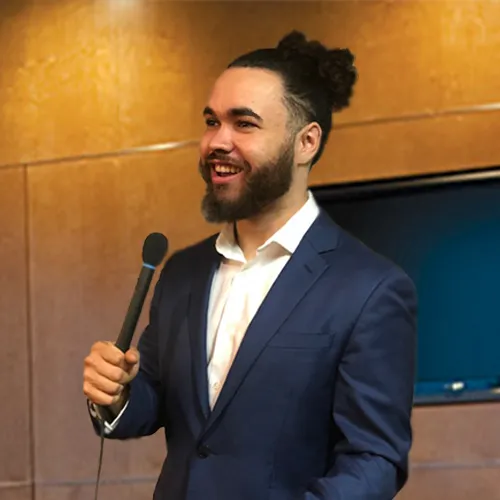
Josh Pocock
Founder & CEO, StrideOps.ai
Josh Pocock is the founder and CEO of StrideOps.ai. He spent eight years building sales and marketing companies - most recently Executive Stride, the AI appointment-setting agency that now runs end to end on StrideOps.ai as customer zero. He went all-in on the platform full-time in late 2025.
Josh Pocock is the founder and CEO of StrideOps.ai. He scaled his own AI agency past $50K a month, and his agency Executive Stride has built systems for 400+ businesses. StrideOps started as the platform he built to replace that stack.
Read more
AI Call Center Software: What It Handles and What It Costs
What an AI call center handles well, which calls still need people, a per-minute cost worksheet, and three kinds of AI call center software compared.
AI Virtual Receptionist vs Live Virtual Receptionist (2026)
AI virtual receptionist vs a live virtual receptionist: 2026 prices from Ruby, Smith.ai, PATLive and AI services, costed at 200 and 600 calls a month.
Answering Service Cost: Live vs AI Prices Compared (2026)
Answering service cost in 2026: published prices from 12 live and AI services, how per-minute and per-call billing work, hidden fees and a worked example.