Workflows
Every lead gets the next step, on its own
A call, a text, an email or a task, triggered by whatever just happened, right next to your CRM, your calendar and your AI. Describe the workflow in a sentence and the AI builds it.
From $99 a month. Billed monthly, cancel any time.
How it works
Build a workflow in four steps
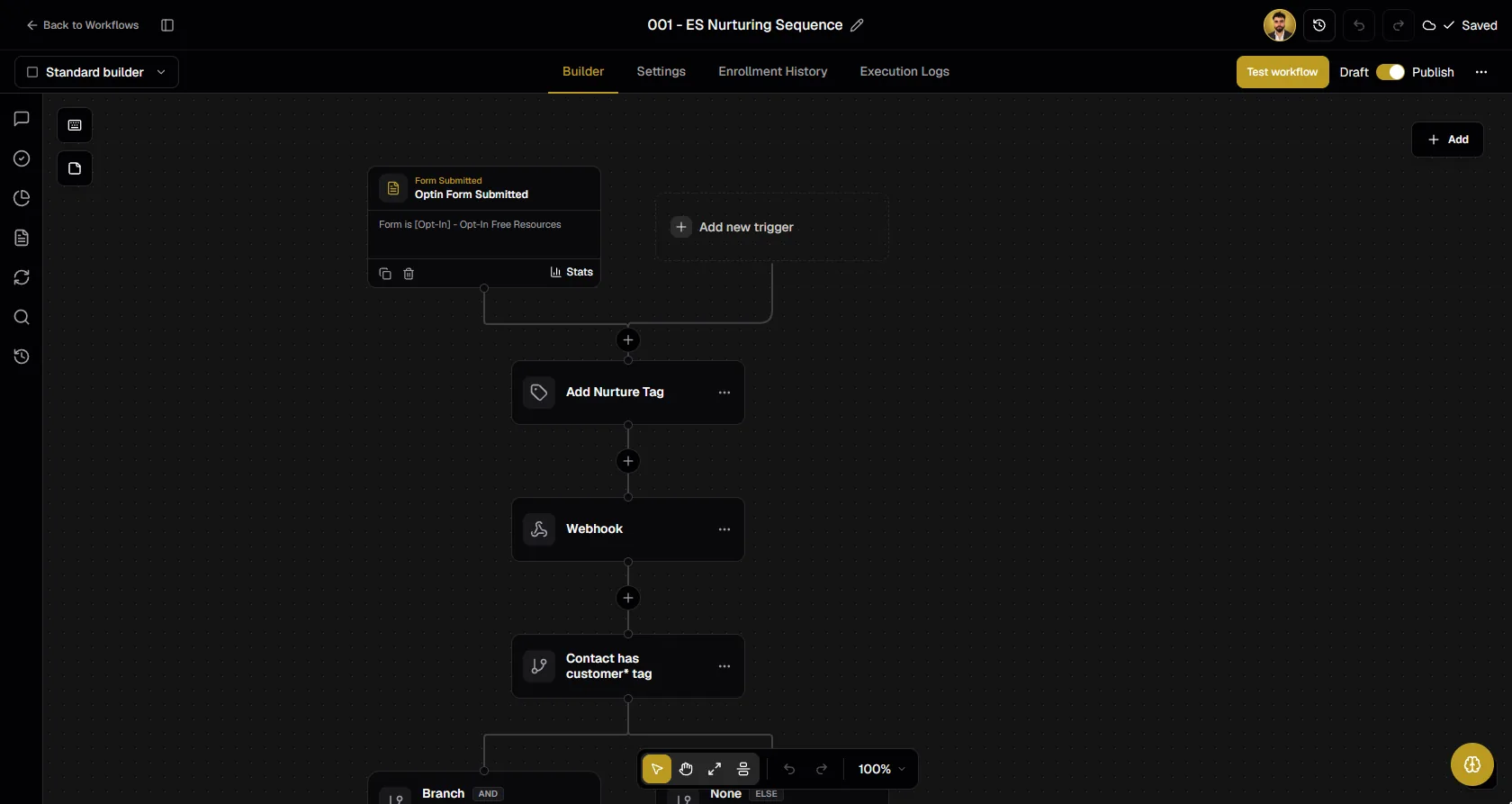
Pick a trigger
A form, a booking, a payment, an Instagram comment, a finished call or a webhook.
Describe it, or drag it
Tell the AI what you want in a sentence, or place the steps on the canvas yourself.
Add AI steps
Place an AI call or start an AI text conversation, with waits, branches and split tests.
Test and go live
Run a test, then watch every run in the execution logs.
Describe the automation, get the automation
Why it matters
Automation that lives where your data lives
Next to the CRM
Every step reads and writes the same contacts, deals and conversations your team and your AI use.
AI as a step
An AI call or an AI text conversation is another step, not another subscription.
Bring your GoHighLevel workflows
Import them as drafts with the StrideOps extension and keep going.
What it replaces
Replaces Zapier, and the workflows you pay GoHighLevel for
What those cost at list price, billed monthly.
 ZapierProfessional$29.99 / mo
 GoHighLevelStarter$97 / mo
Vendor list prices, billed monthly, checked 13 October 2026.
FAQ
Workflows, answered
What can start a workflow?
Contact, deal and company events, forms, surveys, quizzes, funnels, webinars, bookings, payments, course and community events, Instagram comments, DMs and follows, campaign and call events, schedules, inbound webhooks, and events from GoHighLevel, HubSpot, Vapi, Retell, Slack, Airtable and ClickUp.
What can a workflow do?
Send SMS and email, place an AI call, start an AI text conversation, wait for a time, a reply, a link click or an appointment, branch with if/else, run split tests, call webhooks, run custom code, update Google Sheets and work with many connected apps.
Can the AI build the workflow for me?
Yes. Describe the automation in a sentence and the AI workflow builder lays out the steps on the canvas. You can also drag the steps in yourself.
Can I test a workflow before it goes live?
Yes. Run a test, then see every run, step by step, in the execution logs, with version history and enrollment history.
I already built my workflows in GoHighLevel. Do I start over?
No. The StrideOps browser extension imports your GoHighLevel workflows as drafts, and anything that does not map one to one shows up as a placeholder step.
Get started today
Let the next step run itself
Workflows are inside StrideOps, next to your CRM, your calendar and your AI agents.
From $99 a month. Billed monthly, cancel any time.