Here is how to spy on competitors' Facebook ads for free: every ad they run on Facebook and Instagram is public. You do not need a paid tool to see them, and you do not need a Facebook account. You need to know where to look and what to look for.
To spy on competitors' Facebook ads, open the free Meta Ad Library, choose your country and "All ads", search the competitor's Page, then study which ads have been running the longest. Long-running ads are usually the ones that work.
This post covers the free method step by step, the five things worth stealing from what you find, and how to keep tracking competitors without screenshots scattered across your desktop.
Step by step: the Meta Ad Library
The Meta Ad Library is Meta's public archive of ads running across Facebook, Instagram, Messenger and its other placements.
- Open the Ad Library. Go to facebook.com/ads/library. No login needed.
- Pick the country and ad category. Choose the country you sell in and set the category to All ads.
- Search the competitor's Page, not just their name. Typing a name can return several look-alike Pages. The most reliable route is to open the competitor's Facebook Page, find its Page transparency section and follow the link to its ads.
- Filter. Narrow by platform or media type (image or video) when that matters. The default view shows active ads; include inactive ads too when you want to see what they tested and stopped.
- Read each ad card. Each card shows when the ad started running, where it runs, the creative and the copy. Many cards also link to the landing page.
New ads usually appear in the library within about a day of their first impression, so you are looking at what competitors are running now, not last quarter.
What to look for in competitor ads
Scrolling is not research. These five things are.
1. Run time
An advertiser who keeps paying for an ad for weeks or months is telling you it works. Sort your attention by the oldest active ads first. A brand-new ad tells you what they are testing; an old one tells you what is winning.
2. Variations of the same idea
When you see five versions of one ad (same offer, different hooks or thumbnails), the competitor is scaling a winner. The idea underneath is worth studying more than any single version.
3. The hook
Read the first line of copy and watch the first three seconds of video. That is where the ad wins or loses the scroll. Write down the hook patterns, not the exact words.
4. The offer and the landing page
Click through. A free audit, a demo, a calculator, a webinar: the offer tells you what stage of the funnel they are buying. The landing page tells you what they think converts.
5. What is missing
The angle no competitor is running is often your best ad. If every competitor sells on price, the one selling on speed stands out.
A weekly ad research routine
Thirty minutes a week is enough if you do it consistently:
- Pick five competitors and check the Ad Library for each.
- Note new ads since last week: offer, hook, format, landing page.
- Note ads still running from previous weeks; those are the likely winners.
- Save the best three to your swipe file with a one-line note on why.
- Write one test for your own ads based on a pattern, not a copy.
A swipe file template
| Advertiser | Running since | Format | Hook (first line) | Offer | Why it might work |
|---|---|---|---|---|---|
| Competitor A | 9 weeks | Video, 30s | "Most homeowners overpay for..." | Free quote | Specific problem, long run time |
| Competitor B | 3 weeks | Carousel | "5 signs your roof needs..." | Inspection | Education-led, several variations |
The "why it might work" column is the useful one. It turns a pile of screenshots into ideas you can test.
Use it ethically
Learn from patterns; do not copy creative, claims or brand assets. Copying someone else's ad word for word risks your ad account and your reputation, and rarely works as well in your hands anyway.
The problem with doing this by hand
The Ad Library is a search box, not a research system. It does not save your finds, it does not tell you when a competitor launches something new, and comparing three competitors means three tabs and a folder of screenshots. Most people do it once, get useful ideas, and never do it again.
Track competitors' ads in StrideOps Discover
That gap is why we built ad spy into Discover, the research side of StrideOps.
From competitor ad to your next brief

Meta Ad Library
Every public ad, by advertiser

Discover Ad Spy
Pull a competitor's ads in
Boards and swipe file
Save and group what is working
Your next ad
Brief it from patterns, not one-offs
- Ad Spy pulls ads from the Meta Ad Library for the competitors you care about, with boards, a swipe file and analytics, so finds are saved instead of screenshotted.
- Creator and company tracking follows competitor accounts across platforms, with their content, comments and engagement in one place, so you see the organic posts that sit next to their ads.
- Research reports turn what you have tracked into a written intel report. Research Chat, which answers questions across your collections with citations, is in beta.
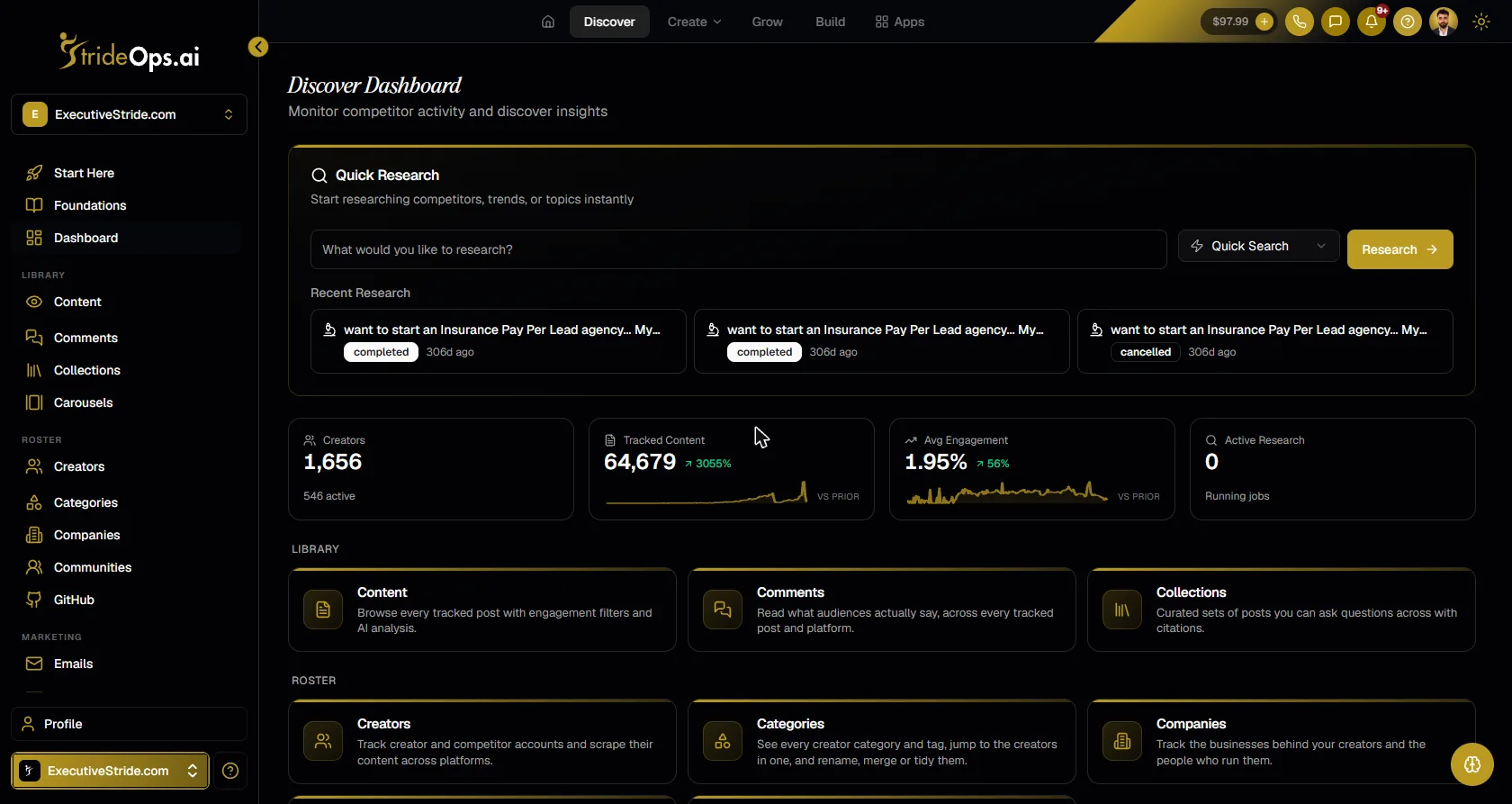
Discover is not a replacement for a dedicated creative-analytics tool like Foreplay, which goes deeper on your own ad account. It is research and ad spy in the same place you act on it: the CRM, the content tools and the automations.
FAQ
Can I see my competitors' Facebook ads for free?
Yes. The Meta Ad Library shows every active ad running on Facebook and Instagram, free and without a login. Search the competitor's Page and filter by country, platform and media type.
How can I tell if a competitor's ad is working?
Look at how long it has been running and how many variations exist. Advertisers rarely keep paying for losing ads, so ads running for weeks with several versions are usually performing.
Can I see how much a competitor spends on Facebook ads?
For most commercial ads, no. The Ad Library shows the creative, copy, placements and start date. Spend and reach details are mainly shown for ads about social issues, elections or politics, and for ads shown in some regions.
What is the best Facebook ad spy tool?
The Meta Ad Library is the free baseline. Paid tools add saving, organizing and tracking on top. Pick one based on whether you need deep creative analytics or research next to your CRM and content workflow.
Can competitors see my Facebook ads too?
Yes. The Meta Ad Library is public, so anyone can see your active ads the same way. Assume your best ads will be studied, and keep testing new ones.
The bottom line
Your competitors are running their best ideas in public. The Meta Ad Library shows you every one of them for free; run time and variations tell you which ones work. If you want that research to build up instead of resetting every time you close the tab, track it in Discover.
Keep your competitor research in one place
Track competitors' ads, posts and comments in Discover, save what works to boards and a swipe file, and turn it into research reports.
About the author

Josh Pocock
Founder & CEO, StrideOps.ai
Josh Pocock is the founder and CEO of StrideOps.ai. He spent eight years building sales and marketing companies - most recently Executive Stride, the AI appointment-setting agency that now runs end to end on StrideOps.ai as customer zero. He went all-in on the platform full-time in late 2025.
Josh Pocock is the founder and CEO of StrideOps.ai. He has spent three years teaching AI on YouTube, with over 5M views, and his agency Executive Stride has built systems for 400+ businesses.
Read more
After Hours AI Receptionist: Catch the Calls You Miss
After hours AI receptionist setup: answer every evening and weekend call, book the next open slot, route emergencies to on-call staff, and follow up by text.
AI Receptionist Pros and Cons: Is It Worth It?
AI receptionist pros and cons for small businesses: the real benefits, the real drawbacks, and a quick checklist to decide whether one is worth it for you.

AI Receptionist Script: A Copy-and-Paste Template
AI receptionist script template to copy: identity, greeting, the calls it handles, booking, FAQs, guardrails, transfers and the close, with example lines.