Knowing how to set up an AI receptionist is less about the AI than the decisions around it: what it should handle, what it should never handle, and where a call goes when it is out of its depth. Get those right and the build takes an afternoon.
To set up an AI receptionist, decide the calls it handles, give it a knowledge base from your own information, choose a voice, build the call steps, connect your calendar, set transfer rules, test it against simulated callers, then route your phone number to it.
Below is the full setup, step by step, with the screens from StrideOps. The same eight steps apply on any platform.
1. Decide what it handles, and what it does not
Write three short lists before you touch any settings:
- Handle fully: booking, rescheduling, hours, location, pricing ranges, service area, simple FAQs.
- Collect and hand off: quotes that need a site visit, complaints, anything urgent.
- Never handle: advice your licensed staff should give, payments over the phone, anything you would not want on a recording.
That third list matters most. It becomes the agent's guardrails and your transfer rules.
2. Write the knowledge base
The agent answers from what you give it. Pull your website's service pages, your price list, your FAQ and your policies into one knowledge base. Write it the way you would brief a new receptionist: short, specific, with the answers to the ten questions you get every day.
If a fact is not in the knowledge base, the agent should say it will have someone confirm, not guess.
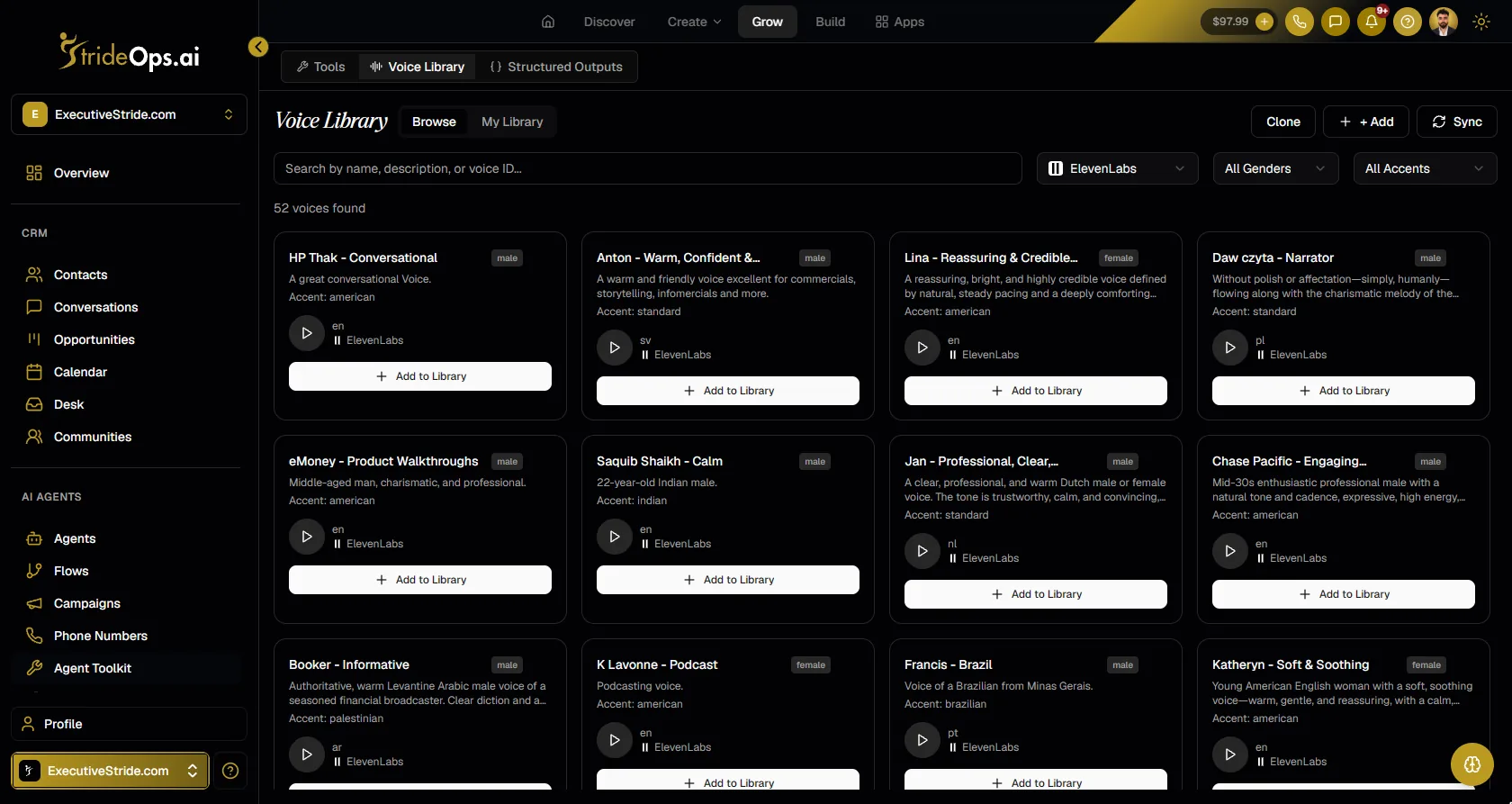
3. Pick a voice
Choose a voice that fits your business and is easy to understand on a phone line. Listen to it reading your real greeting, not a demo sentence.
4. Build the call
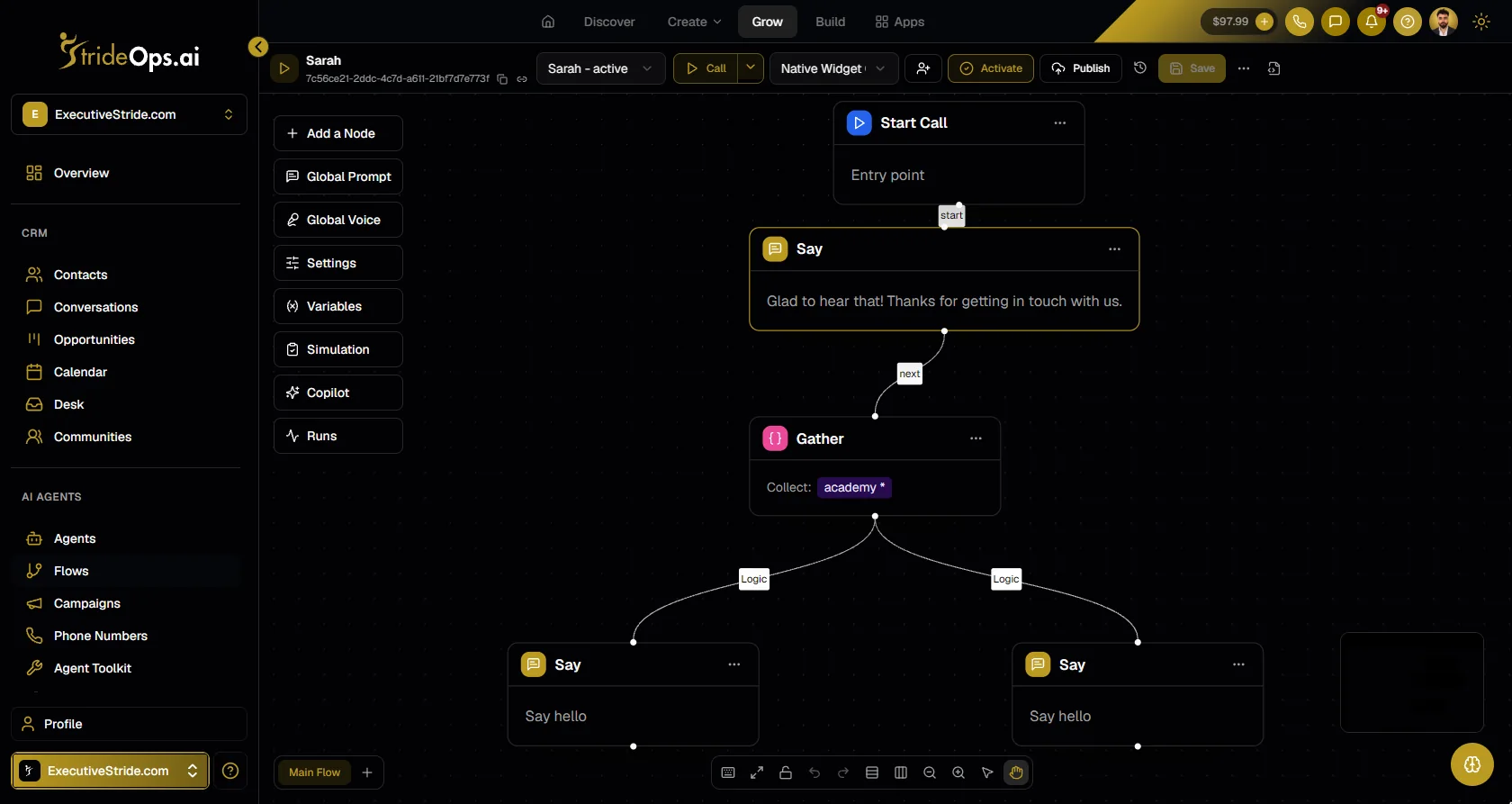
For a simple receptionist, a well-written prompt is enough: greeting, the jobs from step 1, the guardrails, and how to end the call. For calls that must follow the same path every time (collect these three details, then branch), map the call as steps.
5. Connect the calendar
Connect Google Calendar or Microsoft 365 (or use StrideOps calendars) so the agent offers real open slots and books straight onto the calendar in the caller's timezone. Set your availability first, so the agent only offers times you can actually take.
6. Set transfers and notifications
Decide where a call goes when it hits the "collect and hand off" list: a person, a team line, or a message. Turn on notify on transfer so the person picking up gets an SMS or email summary of the call so far, and the caller never has to start again.
7. Test with simulated callers before real ones
Do not test by calling it twice yourself. Test it the way real callers will break it: fast talkers, bad lines, interruptions, confused callers, impatient ones.
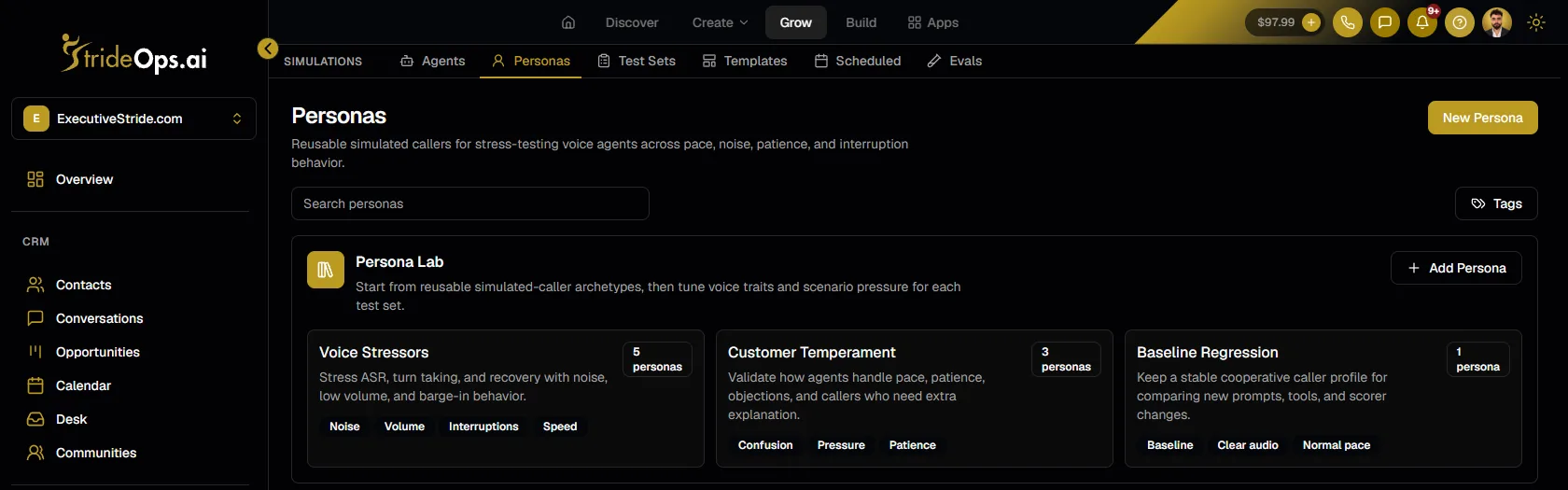
Run the same test set again after every prompt change. A change that fixes one question can quietly break another.
8. Route your number and go live
Point your phone number's voice line at the agent. In StrideOps, each number's voice and SMS legs route separately, so the same number can answer calls with the AI receptionist and texts with an AI text agent. Bring your own Twilio, Telnyx or Vonage numbers.
Then read the first week of calls. Every call's recording and transcript land in the call logs and on the contact. Fix the knowledge base wherever the agent hesitated.
Common setup problems and fixes
| Problem | Likely cause | Fix |
|---|---|---|
| Callers hang up in the first seconds | Greeting too long or voice sounds off | Cut the greeting to one sentence; try another voice |
| "Let me have someone confirm" on common questions | Missing answers in the knowledge base | Add them, written for the ear |
| Bookings at the wrong time | Timezone mismatch | Check calendar, platform and caller timezone |
| Too many transfers | Rules too broad, or knowledge gaps | Narrow transfer rules; add missing answers |
| Agent talks over callers | Long answers, no pauses | Shorten every answer to one or two sentences |
| Emergencies booked as routine | No emergency list | Write the list and test it with vague callers |
What it looks like in the first week
Expect the first week to be a training week, not a finished product. A typical pattern: a handful of questions the knowledge base did not cover, one or two transfer rules that were too broad or too narrow, and a greeting that needs shortening. Read every call that week; most fixes take minutes. By the end of week two, most calls should be handled without a hand-off.
Your setup checklist
| Step | Done when |
|---|---|
| Jobs and guardrails | Three lists written: handle, hand off, never |
| Knowledge base | The ten most common questions have written answers |
| Voice | Chosen after hearing your real greeting |
| Call | Prompt or flow covers every job on the list |
| Calendar | Agent offers real slots and books correctly |
| Transfers | Every hand-off case has a destination and a summary |
| Testing | Passes your simulated callers, rerun after each change |
| Go live | Number routed, first week of calls reviewed |
Would rather have it built and run for you? Executive Stride, Josh Pocock's AI agency, sets up AI receptionists and appointment setting done for you on StrideOps. Book a call with Executive Stride.
FAQ
How much does an AI receptionist cost?
The cost is usually a monthly platform fee plus usage per minute of calls. It is typically far less than a staffed receptionist or answering service; see the side-by-side in AI receptionist vs answering service.
Can I set up an AI receptionist myself?
Yes. With a no-code platform you can set one up in an afternoon: write the knowledge base, pick a voice, connect your calendar, set transfers, test and route your number. No developer is needed.
Is an AI receptionist a good idea for a small business?
It is a good idea when you miss calls, get many repetitive questions or need after-hours coverage. Keep a person on the transfer path for complex or sensitive calls.
Can an AI receptionist transfer calls to a person?
Yes. You set transfer rules for the calls it should not handle, and with notify on transfer the person picking up receives a summary of the call so far.
How long does it take to set up an AI receptionist?
A first version can be ready in an afternoon if you have your common questions written down. Plan on one to two weeks of reviewing real calls before it handles most calls on its own.
The bottom line
An AI receptionist is a hiring decision more than a tech project: define the job, write the training, test before day one and review the first week. Do those and the setup is the easy part. See how StrideOps voice agents answer every call, and how testing works before a caller ever hears them.
Answer every call, starting this week
Build an AI receptionist with your knowledge base, your calendar and your transfer rules, test it against simulated callers, then route your number.
About the author

Josh Pocock
Founder & CEO, StrideOps.ai
Josh Pocock is the founder and CEO of StrideOps.ai. He spent eight years building sales and marketing companies - most recently Executive Stride, the AI appointment-setting agency that now runs end to end on StrideOps.ai as customer zero. He went all-in on the platform full-time in late 2025.
Josh Pocock is the founder and CEO of StrideOps.ai. He scaled his own AI agency past $50K a month, and his agency Executive Stride has built systems for 400+ businesses. StrideOps started as the platform he built to replace that stack.
Read more
After Hours AI Receptionist: Catch the Calls You Miss
After hours AI receptionist setup: answer every evening and weekend call, book the next open slot, route emergencies to on-call staff, and follow up by text.
AI Receptionist Pros and Cons: Is It Worth It?
AI receptionist pros and cons for small businesses: the real benefits, the real drawbacks, and a quick checklist to decide whether one is worth it for you.
AI Receptionist Script: A Copy-and-Paste Template
AI receptionist script template to copy: identity, greeting, the calls it handles, booking, FAQs, guardrails, transfers and the close, with example lines.