Knowing how to reactivate old leads with AI is one of the fastest ways to find revenue you already paid for. Every business has a CRM full of people who asked about the service, never bought and never heard from you again. Most of them did not say no. They just went quiet.
To reactivate old leads with AI, segment the list by age and interest, confirm you have consent to contact them, then run a campaign where an AI calls inside each lead's calling hours, texts the ones who miss the call, leaves voicemails, and routes every outcome to a next step.
Here is the full playbook, from cleaning the list to handling the yeses.
Step 1: clean and segment the list
Do not blast the whole database. Split it first:
- By age. Leads from the last 90 days remember you. Leads from two years ago need more context in the opener.
- By interest. What they originally asked about. "You asked about a roof inspection in March" beats "checking in".
- By status. Remove customers, anyone who asked not to be contacted, and anyone already in an active sequence.
Fix phone formats and remove duplicates before anything else. Bad data wastes calls and makes a campaign look worse than it is.
Step 2: check consent before you dial
Old leads are where compliance problems hide. Consent collected two years ago on an old form may not cover AI calls or texts today, and rules for automated and AI-voice calls are strict. Check what each segment agreed to, keep do-not-call and opt-out lists current, and read is AI cold calling legal before you start. This is not legal advice.
Step 3: write an opener that earns the next ten seconds
The first sentence decides the call. A good reactivation opener:
- Says who is calling and that it is an AI assistant.
- References what they asked about, and roughly when.
- Asks one easy question: "Is that still something you're looking at?"
Then give the agent three paths: still interested (qualify and book), not now (ask when to call back), and no (thank them and mark it).
Step 4: run it as a multichannel campaign
Some leads only pick up calls, some only read texts, and some only listen to voicemail. A campaign that uses all three gives every lead a channel they actually check.
A reactivation campaign, per lead

AI call inside calling hours
In the lead's own time zone

Voicemail if a machine answers
Your recorded message, then move on
Text follow-up
For leads who did not pick up
Outcome on every call
Booked, callback, not interested
Set the rules before launch:
- Calling hours by time zone, so nobody gets a 7am call.
- Daily caps that ramp up, so a big list does not burn your numbers in a day.
- Retries and double-dial for no-answers.
- Voicemail detection and drop when a machine answers.
- Callback scheduling, so "call me tomorrow at three" gets a call at three.
- Do-not-call and do-not-disturb checks before every dial, and removal of anyone who books.
Step 5: route every outcome
A reactivation campaign is only as good as what happens after each call. Map every outcome to a next step:
| Outcome | Next step |
|---|---|
| Booked | On the calendar, confirmation sent, removed from the campaign |
| Callback requested | Called back at the time they asked for |
| Interested, not ready | Moved to a long nurture sequence |
| Not interested | Tagged, removed, never called again by this campaign |
| No answer after retries | Text follow-up, then a later wave |
An example reactivation call
AI: Hi Lauren, this is Ava, an AI assistant with Brightway Solar. You asked us about solar for your home back in March. Is that still something you're looking at?
Lead: Oh, right. We put it on hold, but maybe.
AI: Understood. A lot has changed since spring. Would a quick 20-minute call with one of our advisors this week be useful, or would later in the year be better?
Lead: Later. Maybe September.
AI: No problem. I'll have someone call you in early September. Is this still the best number?
Not a sale, but a dated callback on a lead that was dead an hour ago. That is what most good reactivation outcomes look like.
Run it in waves
Do not call the whole database in one day:
- Wave 1: the freshest 10 to 20 percent (leads from the last 90 days). Learn which opener works.
- Wave 2: older leads, with the opener tuned from wave one.
- Wave 3: anyone who did not answer, by text first, then a call.
Waves protect your phone numbers' reputation, give you time to fix the script, and keep your team from being flooded with callbacks at once.
What good looks like
Track per wave: contacts reached, conversations, appointments booked, callbacks scheduled and opt-outs. Opt-outs climbing fast means the list or the opener is wrong; stop and fix it before the next wave.
How this works in StrideOps
StrideOps calling campaigns run the playbook above. Load a list and the AI calls it inside each lead's calling hours, with daily caps that ramp, retries, double-dial, voicemail drops, callbacks and do-not-call checks, and contacts who already booked are removed. Campaigns are multichannel: voice, SMS, email and ringless voicemail.
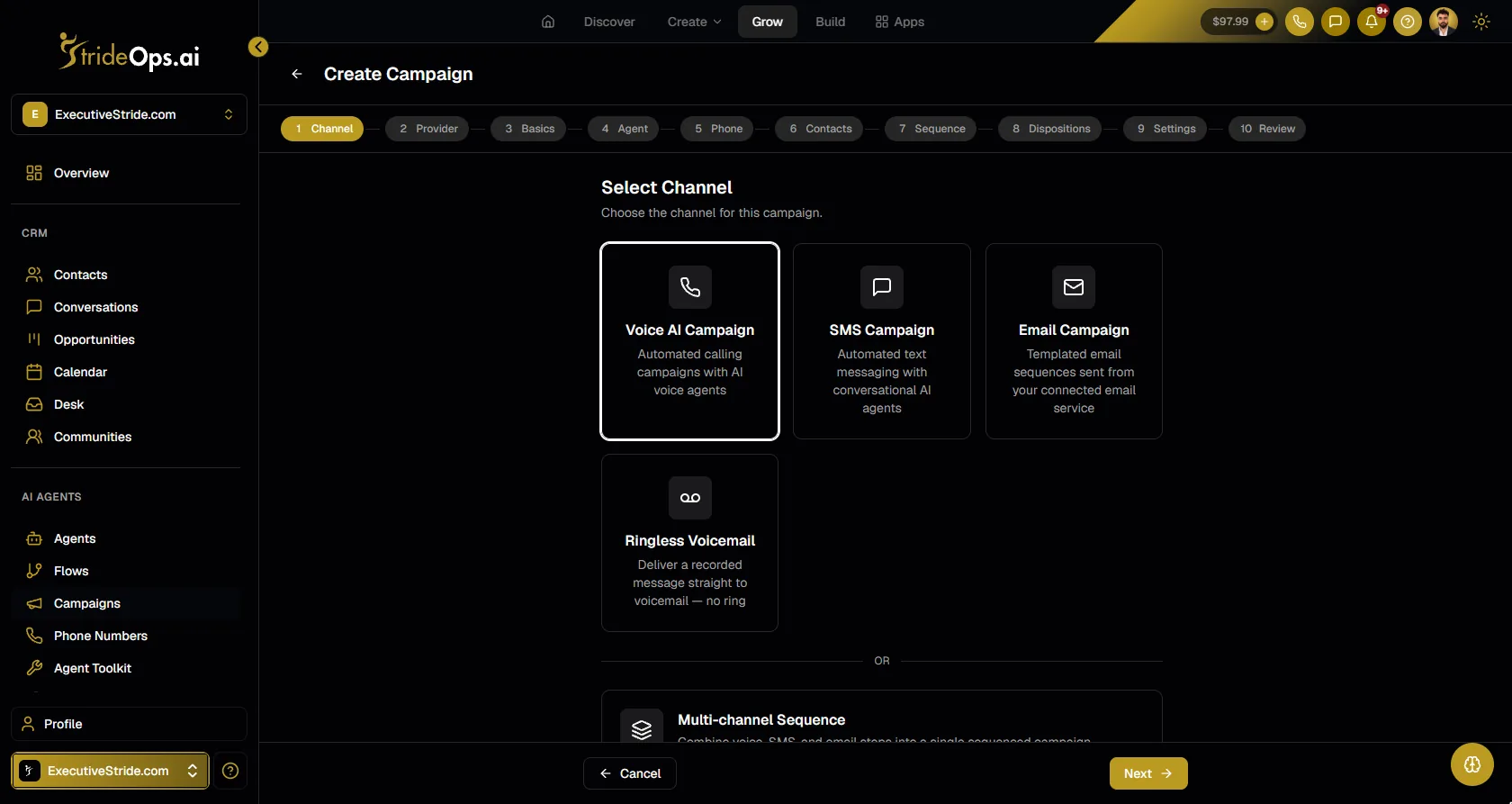
Every call ends with an outcome (booked, no answer, voicemail, callback and so on), and a disposition map decides what happens next: a text, an email, a task for your team or another workflow. You can use a StrideOps voice agent or your existing Vapi or Retell agents, and listen in live while calls run.
See the full feature on AI calling campaigns.
FAQ
How do you reactivate old leads?
Segment the list by age and interest, remove anyone who opted out, then contact the rest with a personal opener that references what they asked about. Combine calls, texts and voicemail, and route every response to a clear next step.
Can AI call old leads?
Yes, with the right consent. An AI voice agent can call a list inside set calling hours, qualify interested leads and book them, leave voicemails and schedule callbacks. Check consent and do-not-call status before calling.
What should a lead reactivation message say?
Say who you are, reference what the lead originally asked about, and ask one easy question about whether it is still a priority. Keep it short and personal.
How many times should you contact an old lead?
A short sequence works best: a call, a voicemail if they miss it, a text follow-up, and one later attempt. Stop as soon as they ask you to, and honor opt-outs immediately.
How old is too old for a lead reactivation campaign?
There is no fixed cutoff, but older leads need more context in the opener and are more likely to have changed numbers or situations. Start with the freshest leads and work back.
The bottom line
Your old leads are the cheapest pipeline you have. Clean the list, check consent, open with what they asked about, and let an AI work every lead across calls, voicemail and text while every outcome routes itself. The yeses go on your calendar; everything else is handled without a person chasing it.
Turn your old leads into booked calls
Load a list and the AI calls it inside calling hours, drops voicemails, texts the misses and ends every call with an outcome that runs the next step.
About the author
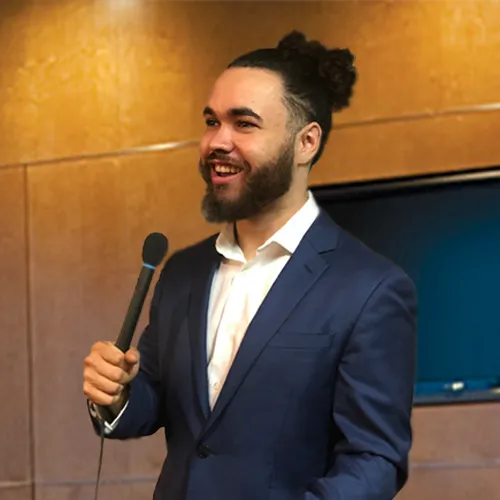
Josh Pocock
Founder & CEO, StrideOps.ai
Josh Pocock is the founder and CEO of StrideOps.ai. He spent eight years building sales and marketing companies - most recently Executive Stride, the AI appointment-setting agency that now runs end to end on StrideOps.ai as customer zero. He went all-in on the platform full-time in late 2025.
Josh Pocock is the founder and CEO of StrideOps.ai. He scaled his own AI agency past $50K a month, and his agency Executive Stride has built systems for 400+ businesses. StrideOps started as the platform he built to replace that stack.
Read more
AI Voicemail Drop for Sales: How It Works, What's Legal
AI voicemail drop for sales explained: voicemail drops vs ringless voicemail, what the FCC ruled, what to say in 20 seconds, and how to run it in a campaign.
Is AI Cold Calling Legal? TCPA Rules for AI Voice (2026)
Is AI cold calling legal? What the FCC's 2024 ruling means for AI voice calls, the consent you need, and the calling rules to follow. Not legal advice.
Can an AI SDR Book Meetings? What Outbound AI Can Do
An AI SDR can book meetings from warm leads at a pace no team can match. What outbound voice AI does well, where it fails and how to deploy it safely.