Most CRMs are only as good as the worst day of the person updating them. A great call happens, the rep means to log it, the next call comes in, and the detail is gone. Multiply that across a team and a quarter and the CRM becomes a museum of half-finished records nobody trusts.
AI CRM automation means calls, texts and emails log themselves to the contact, AI agents remember what each lead said, and the outcome of every conversation triggers the next step (a text, a task, a stage change) with no one updating the CRM by hand.
This pairs with the complete guide to AI voice agents. A voice agent is how the conversation happens. CRM automation is what happens to it afterward.
The three layers of AI CRM automation
The phrase gets used loosely, so here is what it breaks down to. Most tools only do the first layer.
1. Capture: every conversation logs itself
Every AI call lands on the contact with its recording and transcript, and every campaign call adds an outcome. Texts, emails, chat widget messages and social DMs thread into one inbox on the same contact. The rep does not have to remember to update the CRM, because there is nothing to type.
2. Memory: the AI remembers each lead
This is the layer most stacks are missing. In StrideOps, turn on contact memory and your AI agents remember each contact across voice calls, texts and email replies: preferences, objections and details they mentioned. The remembered facts show on the contact record, and the next agent to talk to that lead starts with them.
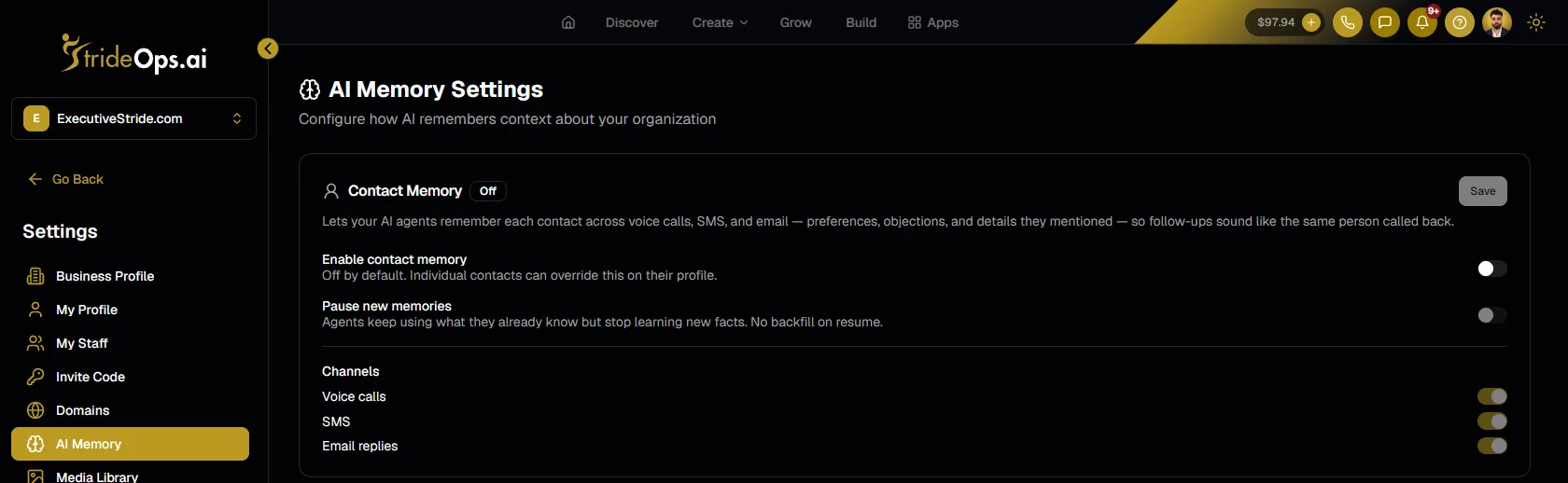
Be clear about what memory is and is not. It is context for the AI and your team. It does not quietly rewrite your custom fields or score your companies. Fields you report on, like deal stage, still change through rules you set, which is the third layer.
3. Action: the outcome fires the next step
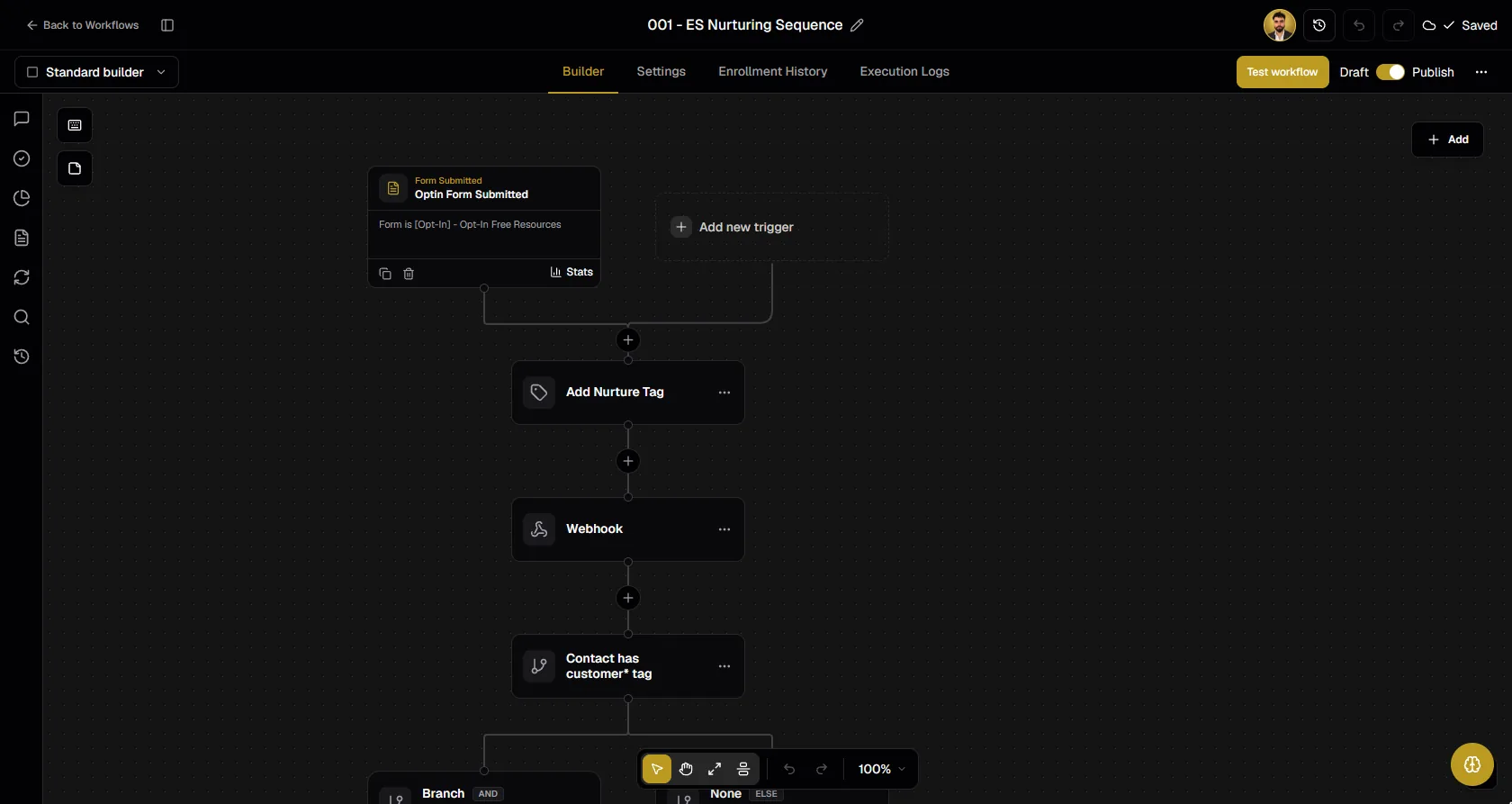
Every AI campaign call ends with an outcome: booked, no answer, voicemail, callback requested, not interested. A disposition map decides what each outcome does: move the deal, tag the contact, or start a workflow. Call events are workflow triggers too, so anything can follow a call.
From call to follow-up, with no one touching the CRM

AI call ends
Recording and transcript on the contact

Outcome
Booked, voicemail, callback, not interested
Disposition map
Moves the deal and tags the contact
Workflow
Text, email, task or the next AI call
Why this is hard for most stacks
In most setups the phone system, the CRM and the email tool are three products that barely know each other exists. Getting a call to update a CRM record means an integration. Getting that change to send a text means another one. Every integration is something that breaks at 2am, usually silently, while leads go cold.
StrideOps puts voice agents, text agents, the CRM and the workflow builder on one data layer. The call writes to the same contact record the workflow reads, so the core loop of call, record and follow-up does not depend on a Zap holding together.
It still connects outward. StrideOps syncs contacts and opportunities two ways with GoHighLevel, HubSpot and Follow Up Boss, so you can keep the CRM your team already works in. See the integrations page.
What you can automate, concretely
These are the workflows operators set up first.
- Speed to lead. A form, funnel opt-in or Facebook lead triggers an AI call or text within seconds, and the result lands on the contact. Read speed to lead for why the first minutes matter, and how to call Facebook leads automatically for the exact workflow.
- Inbound capture. Every inbound call to your AI receptionist logs to the contact with the recording and transcript. See what an AI receptionist costs.
- Pipeline moves on real outcomes. A booked call moves the deal; a "not interested" closes it. The pipeline reflects what was said, not a rep's optimism.
- Follow-up after the call. A call that ends with "send me the details" or no answer starts a workflow that texts or emails, waits for a reply, and calls again if needed.
- Reactivation. Old leads go into an AI calling campaign, and the people who say yes come back into the pipeline with an outcome attached. More in AI SDRs and outbound calling.
What good automation feels like
You can tell CRM automation is working when nobody talks about the CRM anymore. Reps are not nagged to update it. Managers are not chasing notes. The pipeline review is short because the data is already current, and the follow-up that used to slip happens every time.
The opposite is easy to spot: a nice-looking CRM that everyone quietly works around, with a spreadsheet on the side that holds the real truth. If you have the spreadsheet, you have a capture problem, and capture is exactly what to fix first.
FAQ
What is AI CRM automation?
AI CRM automation is a CRM where conversations log themselves, AI agents remember each contact, and the outcome of each call or text triggers the next step automatically, such as a follow-up text, a task or a pipeline move.
Do I have to replace my current CRM?
Not necessarily. StrideOps includes a full CRM, and it also syncs contacts and opportunities two ways with GoHighLevel, HubSpot and Follow Up Boss. You can use either one as your system of record.
Does the AI fill in my CRM fields automatically?
The call's recording and transcript (plus the outcome, on campaign calls) attach to the contact automatically, and with contact memory turned on the AI keeps a running memory of what each lead said. Pipeline stages and tags change through rules you set, like a disposition map or a workflow step.
How accurate is automatic call logging?
The full recording and transcript are kept on the contact, so anyone can check what was actually said in seconds instead of relying on a rep's notes.
Can AI calls trigger workflows?
Yes. Call results and campaign dispositions are workflow triggers, so a booked call, a voicemail or a callback request can each start a different workflow.
Where to start
Pick the one workflow that hurts most. For most teams that is capture: stop losing what happens on calls. Get every call logging to the contact with an outcome, prove the CRM can be trusted again, then add the follow-up workflows one at a time. See the StrideOps CRM and workflows.
Watch a call become a follow-up
See an AI call land on the contact with its recording and outcome, move the deal and start the next step, with no one touching the CRM.
About the author

Josh Pocock
Founder & CEO, StrideOps.ai
Josh Pocock is the founder and CEO of StrideOps.ai. He spent eight years building sales and marketing companies - most recently Executive Stride, the AI appointment-setting agency that now runs end to end on StrideOps.ai as customer zero. He went all-in on the platform full-time in late 2025.
Josh Pocock is the founder and CEO of StrideOps.ai. He scaled his own AI agency past $50K a month, and his agency Executive Stride has built systems for 400+ businesses. StrideOps started as the platform he built to replace that stack.
Read more
After Hours AI Receptionist: Catch the Calls You Miss
After hours AI receptionist setup: answer every evening and weekend call, book the next open slot, route emergencies to on-call staff, and follow up by text.
AI Appointment Reminder Calls: Setup, Script and Timing
AI appointment reminder calls that confirm, catch reschedules and save no-shows: when to call, what the AI should say, and how to build it as one workflow.
AI Receptionist Pros and Cons: Is It Worth It?
AI receptionist pros and cons for small businesses: the real benefits, the real drawbacks, and a quick checklist to decide whether one is worth it for you.